
Close search
 
Home | Tech Support | Date formatting and text strings

Date formatting and text strings

08 July 2026

The Code of Practice requires publishers to offer tabular versions of their COUNTER reports. Most providers offer two formats: tab separated files (.tsv) and Excel files (.xlsx).

We also specify that date fields in COUNTER reports need to be a text string in the YYYY-MM-DD format. Dates show up in the report header and in the table headings for month-by-month usage. Why don’t we specify storing dates in the custom date format in the Excel version of reports? Simple: because spreadsheet programs handle dates differently!
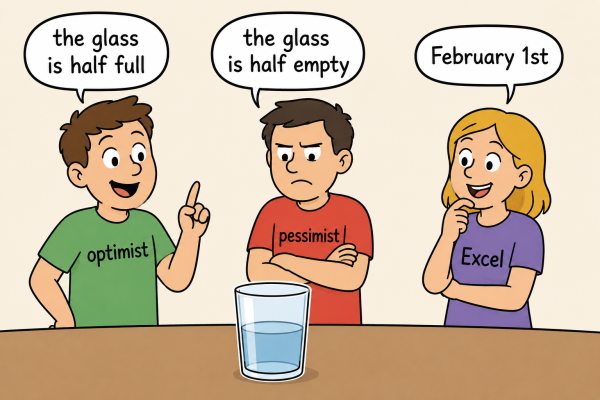
A cartoon of three people looking at a half-full glass of water. The person on the left wears a t-shirt labelled "optimist" and needs a speech bubble saying "the glass is half full". The middle person wears a t-shirt labelled "pessimist" and needs a speech bubble saying "the glass is half empty". The person on the right wears a t-shirt labelled "Excel" and needs a speech bubble saying "February 1st". 
The image was generated with AI
Excel date handling is odd. Image generated by us, using AI.

What happens to dates in spreadsheets?

If you open a tabular file in Excel or Google Sheets, it might “guess” that the date fields should be in a date format. What the program displays will depend on two things:

  • Where your computer thinks you are
  • Which specific date format you have configured in the spreadsheet application.

For example, 2025-12-28 could be Dec-2025 if you’ve set up for the USA, but Dez-2025 in Germany. The same happens with date formats in .xlsx files. Using a text string means you can be sure which dates are in the report. Of course, if you want to put in formatting, you can.

The validator does check dates in COUNTER reports, but it is set up to deliver a Warning when it detects a date format in a .xlsx report. So if you see “Could not check the date format used for the column heading for monthly counts, using date formats is not recommended because the result might depend on the operating system and spreadsheet application settings”, now you know why!

This website uses cookies
This site uses cookies to enhance your browsing experience. We use necessary cookies to make sure that our website works. We’d also like to set analytics cookies that help us make improvements by measuring how you use the site. By clicking “Allow All”, you agree to the storing of cookies on your device to enhance site navigation, analyse site usage, and assist in our marketing efforts.
These cookies are required for basic functionalities such as accessing secure areas of the website, remembering previous actions and facilitating the proper display of the website. Necessary cookies are often exempt from requiring user consent as they do not collect personal data and are crucial for the website to perform its core functions.
A “preferences” cookie is used to remember user preferences and settings on a website. These cookies enhance the user experience by allowing the website to remember choices such as language preferences, font size, layout customization, and other similar settings. Preference cookies are not strictly necessary for the basic functioning of the website but contribute to a more personalised and convenient browsing experience for users.
A “statistics” cookie typically refers to cookies that are used to collect anonymous data about how visitors interact with a website. These cookies help website owners understand how users navigate their site, which pages are most frequently visited, how long users spend on each page, and similar metrics. The data collected by statistics cookies is aggregated and anonymized, meaning it does not contain personally identifiable information (PII).
Marketing cookies are used to track user behaviour across websites, allowing advertisers to deliver targeted advertisements based on the user’s interests and preferences. These cookies collect data such as browsing history and interactions with ads to create user profiles. While essential for effective online advertising, obtaining user consent is crucial to comply with privacy regulations.